


Reframe:Automatically crop & frame your videos
Precise AI cropping, real-time subject tracking, and multi-zone composition: Yuzzit transforms any clip into a video ready to post on any social media platform.

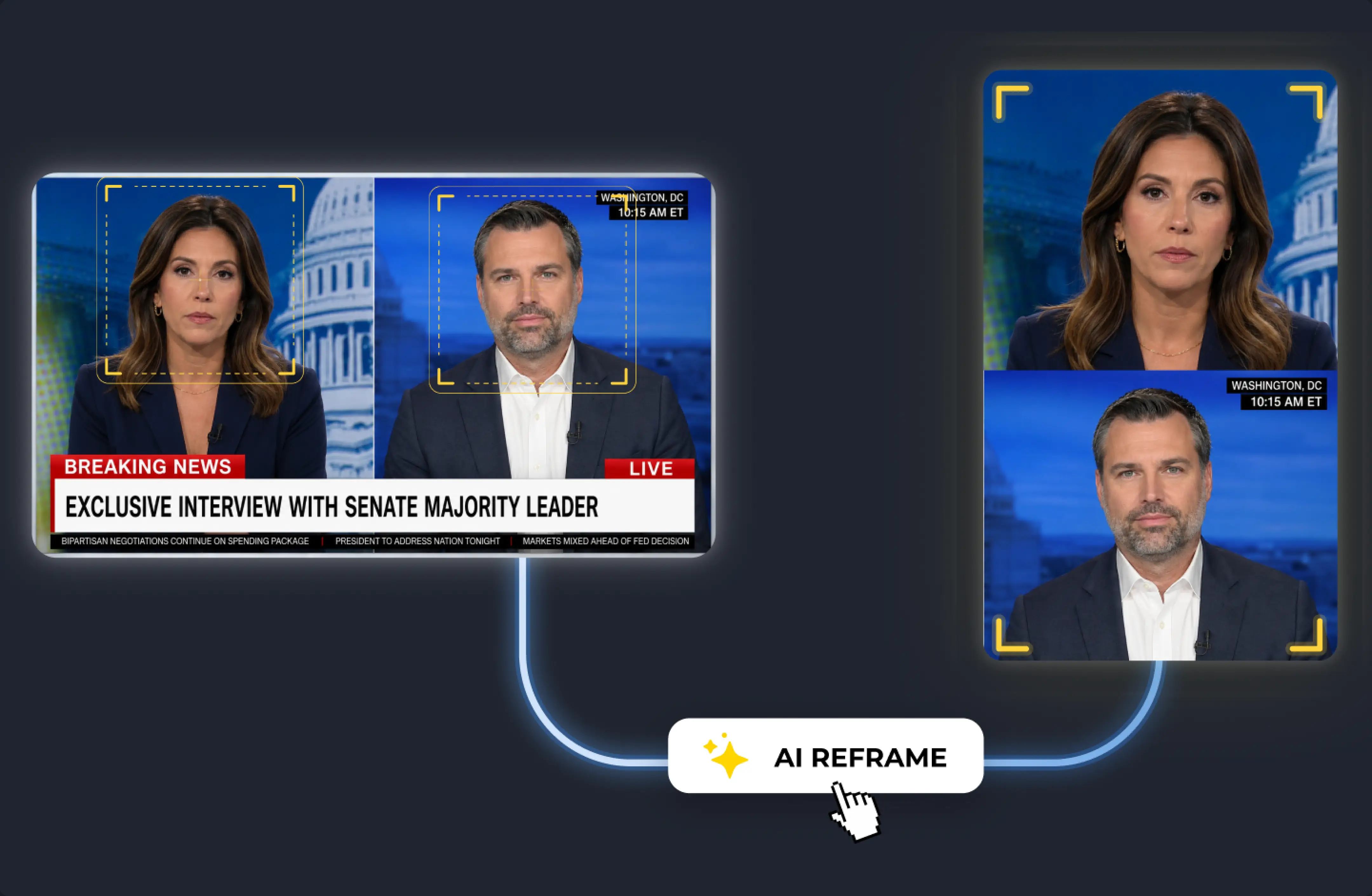
AI handles the format and composition: your videos are cropped with a single click
Whether it's live content or existing videos, adapting a clip to social media formats remains a time-consuming task that teams don't always have the resources to handle properly.
Reworking each shot to a 9:16 aspect ratio without losing a subject or letting the main action fall out of frame requires time and attention that the publishing schedule doesn’t always allow. Yuzzit handles this automatically: its AI engine analyzes the video, tracks moving subjects, and composes the most relevant frame for each format. When multiple subjects need to remain visible at the same time, multi-zone cropping integrates them together into the same image using a split-screen effect.
With Reframe, your video is analyzed, cropped, composed, and ready to go—without you having to do a thing
1- The AI analyzes your video
Yuzzit automatically detects changes in the shot, identifies areas of interest—faces, actions, movements—and generates the most appropriate crop for the target format. The entire process takes just a few seconds, with no manual intervention required.
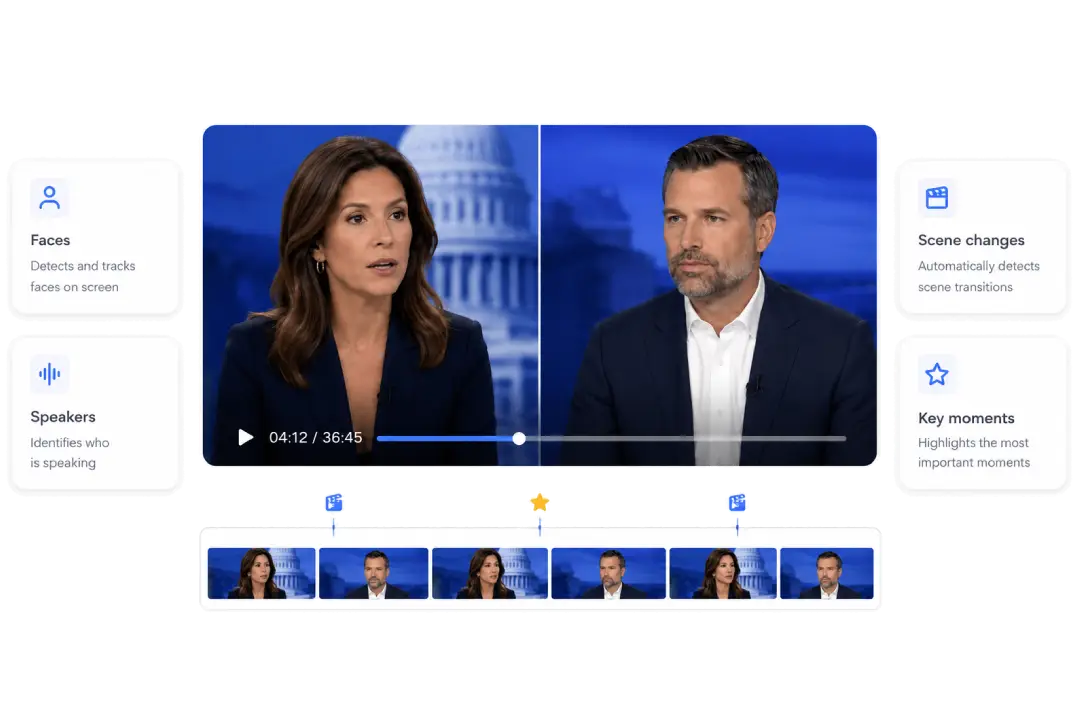
2 - AI Sets the Framework
For each shot, Yuzzit creates the most effective layout based on the detected content. If your video features multiple subjects—such as a narrator and their props, a player, and a wide shot—they can all be integrated into the new frame at the same time.
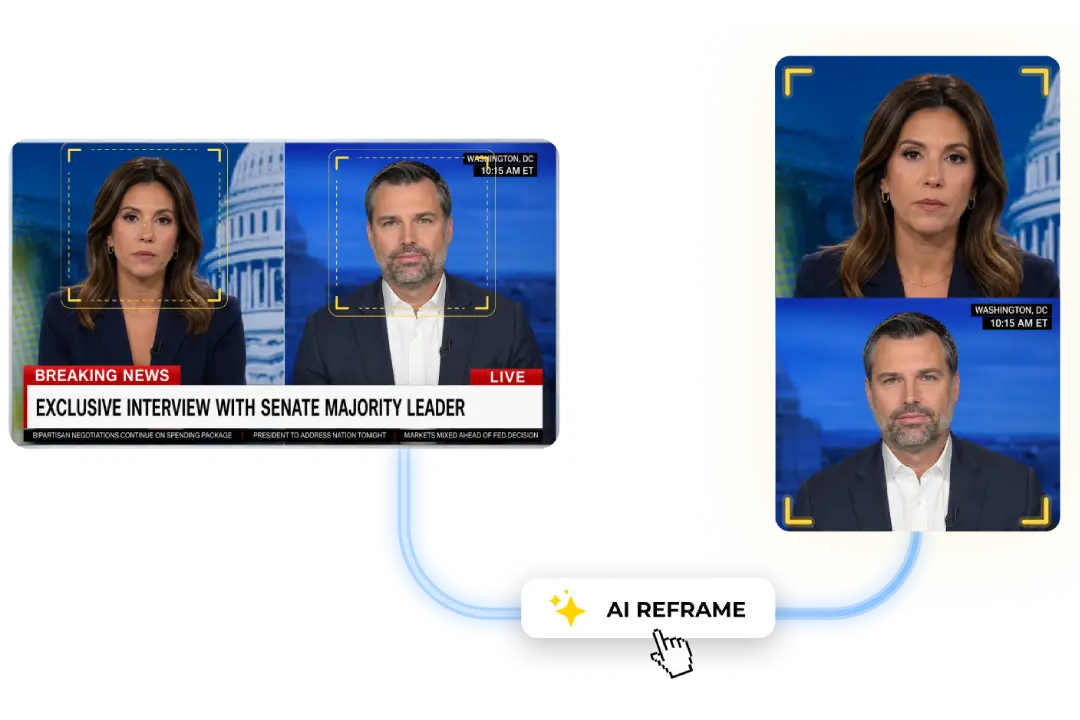
3 - You review, you publish
The suggested crop respects the preferences you set earlier. All you have to do is preview the result, make adjustments if necessary, and publish directly from Yuzzit, without using any other tool.
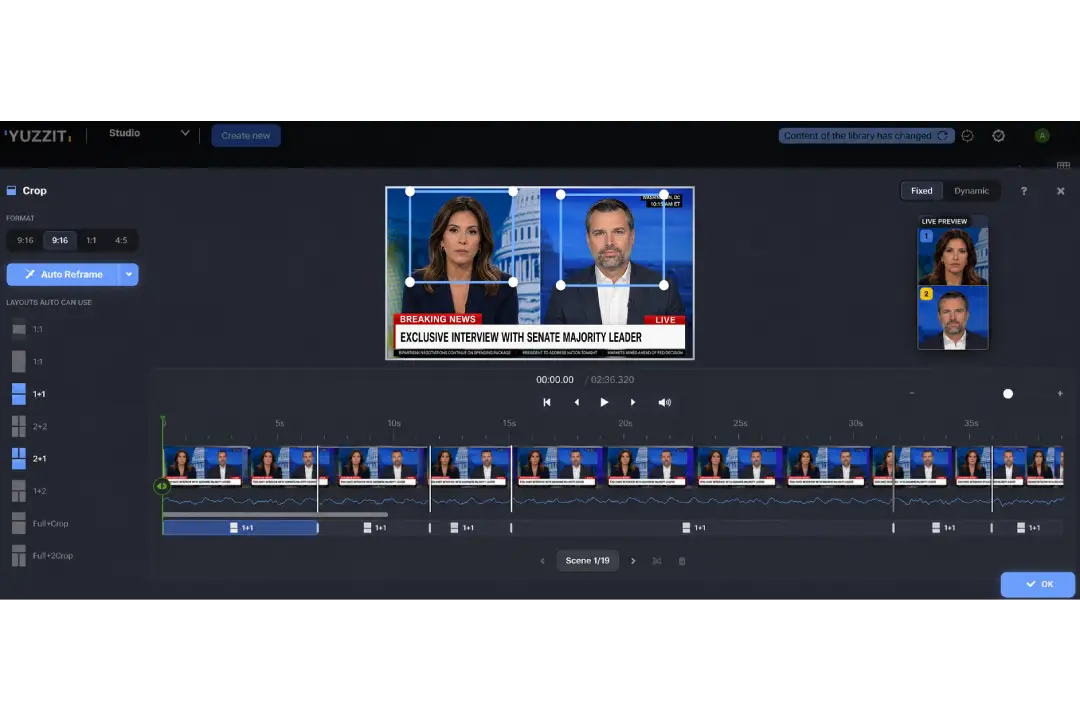
Keep everything that matters in view with split screen
When adapting a video to a new format, beyond just the aspect ratio, the question is what to keep in the frame and how the various elements coexist within it.
Yuzzit handles this automatically by detecting multiple areas of interest and integrating them into the new composition. A vertically split-screen televised debate can show both participants in the same frame, with the focus shifting depending on who is speaking. A sports highlight can capture both the main action and the player’s reaction. A conference can keep the speaker and their presentation visible side by side, even in a 9:16 aspect ratio.
The resulting video does not lose any information when converted to a different format and has a greater impact, because the composition was designed with the new viewing context in mind.
The Right Layout for Each Type of Content
Depending on what your video shows (a single subject, two speakers, a main action with context), Yuzzit offers the appropriate layout. Eight types of layouts, selected or automatically generated by AI based on your content and target format.
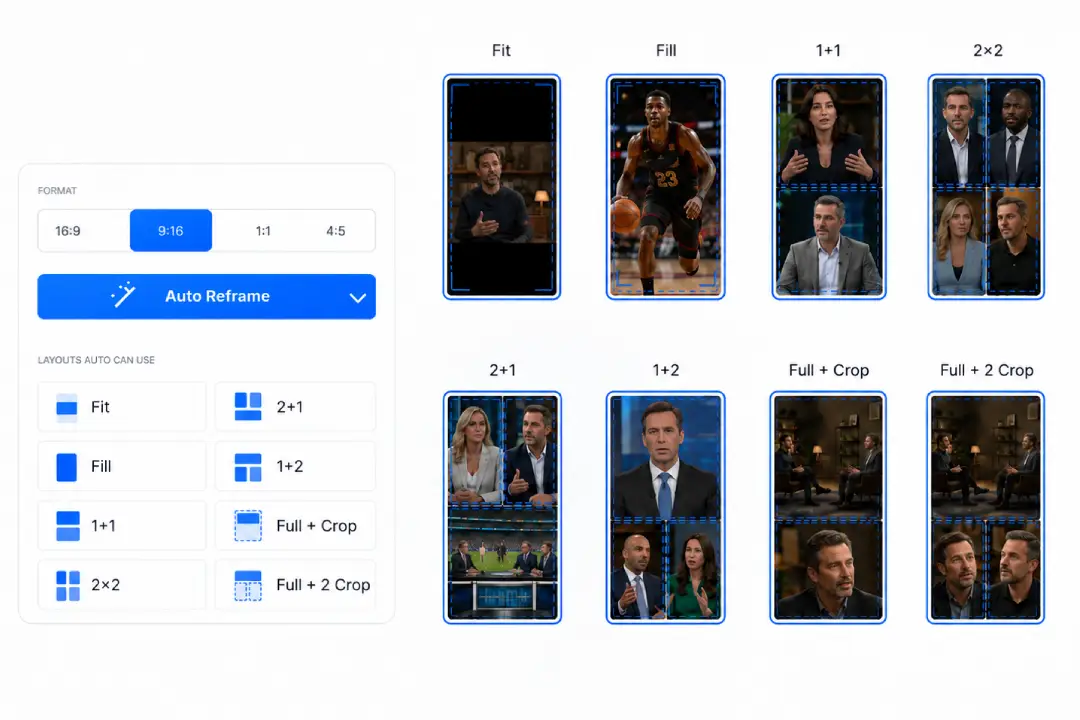
One source clip, all formats in parallel
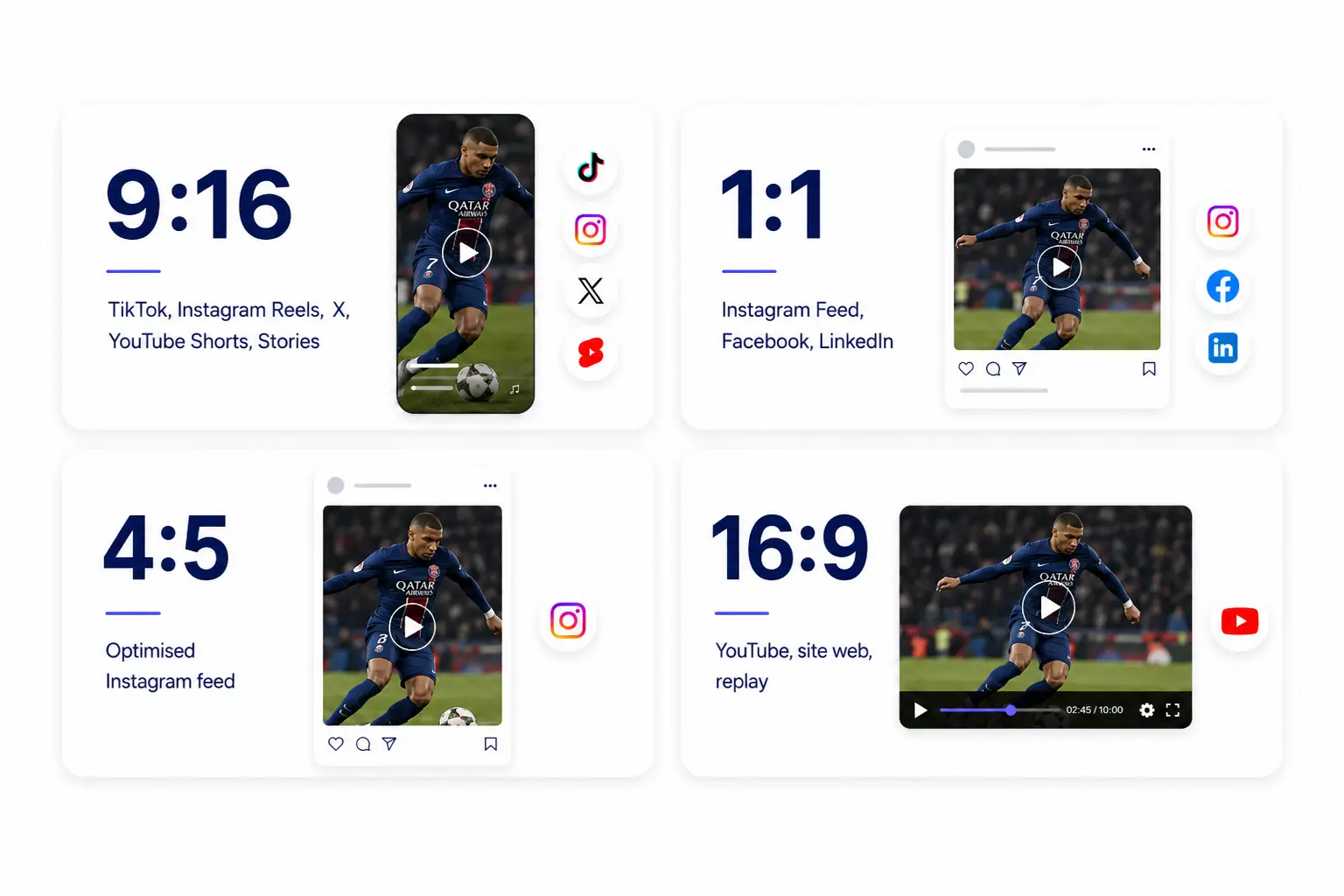
Yuzzit automatically generates the variations you need, without any additional effort on your part.
Automatic cropping in action in your home.
No matter your situation, Yuzzit's automatic cropping feature integrates wherever you need it, without interrupting your workflow.
Sports & Media
The final whistle blows. You have your clip. Within the next two minutes, Yuzzit has cropped it for X, Instagram, TikTok, and YouTube Shorts, with the action properly positioned in each format. Your team posts while the window of opportunity is still open, without having to use cumbersome editing software.
Events & Corporate
The recording is complete, and the clip has been selected. Yuzzit crops it and adapts it to your social media formats, and you can schedule the post directly from the same interface—no exporting, no importing, and no switching back and forth between tools.
Interview & Discussion
Two speakers, a vertical format to produce for broadcast networks. Yuzzit automatically tracks the active speaker and adjusts the focus in real time, keeping both participants visible in the frame. You don't have to choose between one or the other with every cut.
Your next music video deserves to be seen and to make an impact on every screen.
Find out how Yuzzit's automatic cropping feature fits into your team's workflow and what a real difference it makes to your publishing times.
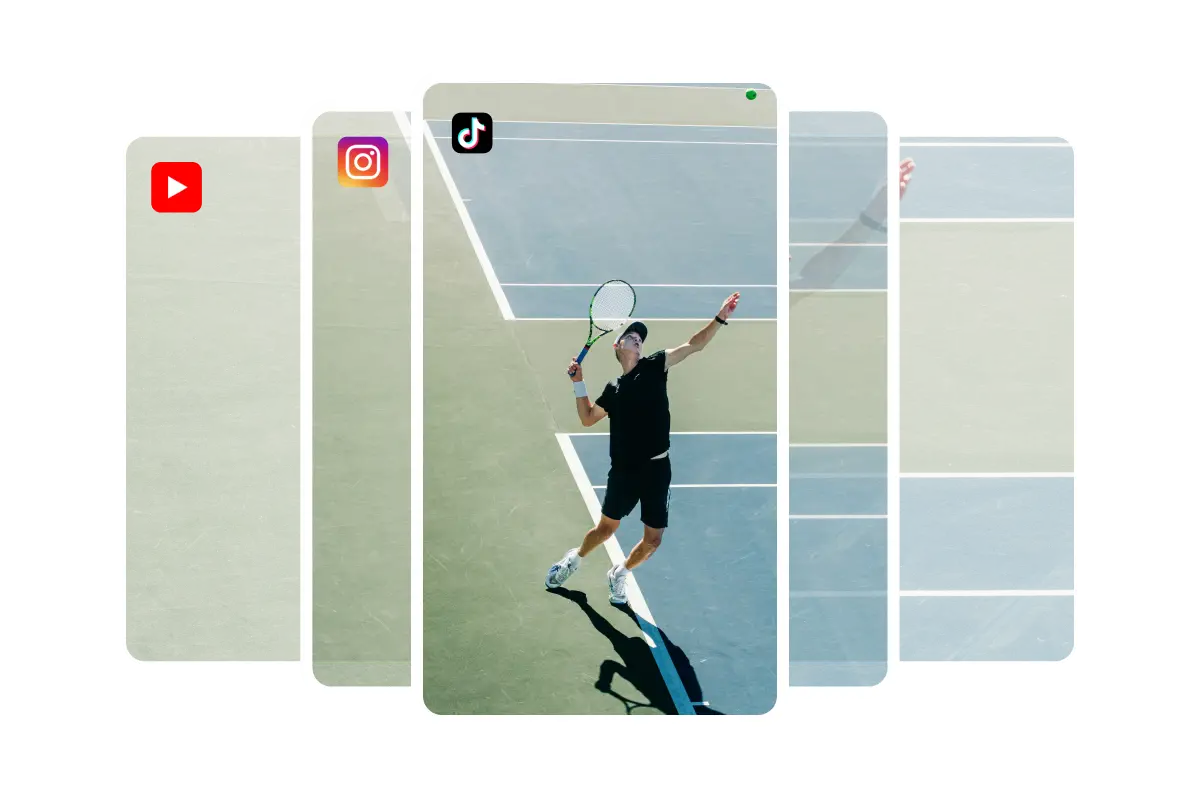


Edit your videos with professional features

Create a video template
To customize them to match your brand guidelines and adapt the format to each social media platform.


Add text to a video
Whether you've imported or trimmed footage from a live stream or raw footage, select the "Customize" feature to add text to your video.

Add subtitles to a video
Add subtitles to your videos in just a few minutes.

Add a video thumbnail
You can create this image yourself or extract it from your video. Once your video has been uploaded to the platform, upload your image.

Video compilation
Easily create a "best-of" compilation of the best clips from a live stream or imported videos.

Produce trailers
Announce the broadcast of a program or event on social media.

Produce live video clips
Create and publish short video clips during or after your live stream with just a few clicks to expand your audience on social media.

Stream your event live
As well as on your social media, and trim clips in real time without waiting for your live stream to end.

Quickly generate a replay
Record replays of your live streams to post them, archive them, or create montages.
Frequently Asked Questions
What is video automatic cropping?
Automatic cropping for video is a feature that lets AI adjust the composition of a video to suit different formats, by selecting the key elements of each shot to keep within the new frame.
Does automatic cropping affect video quality?
No, automatic cropping doesn't affect video quality. Our aim at Yuzzit is to offer an ergonomic and intuitive solution for easy video editing, all without compromising the quality of the final video and the level of customization possible.
Does automatic cropping have an impact on the video's soundtrack?
No, automatic cropping has no impact on the video's soundtrack. This feature focuses solely on the visual adjustment of the composition, preserving the audio quality of the video unchanged.
Does automatic video cropping also work for vertical and horizontal formats?
Yes. Yuzzit's automatic video cropping adapts to all formats: vertical (9:16) for TikTok or Instagram Stories, horizontal (16:9) for YouTube, square (1:1) for Facebook... The AI automatically detects the important areas of each shot and adjusts the framing to guarantee optimal rendering on each platform.
Can I keep control even with auto-crop enabled?
Absolutely. Automatic cropping saves you time, but you can change the framing suggested by the AI at any time. Move the focus, adjust the zoom or change the area tracked: you're always in control of getting exactly the rendering you want.