


Automatic Video Transcription
With Yuzzit, automatically generate transcripts of your videos to use directly in your production workflow.

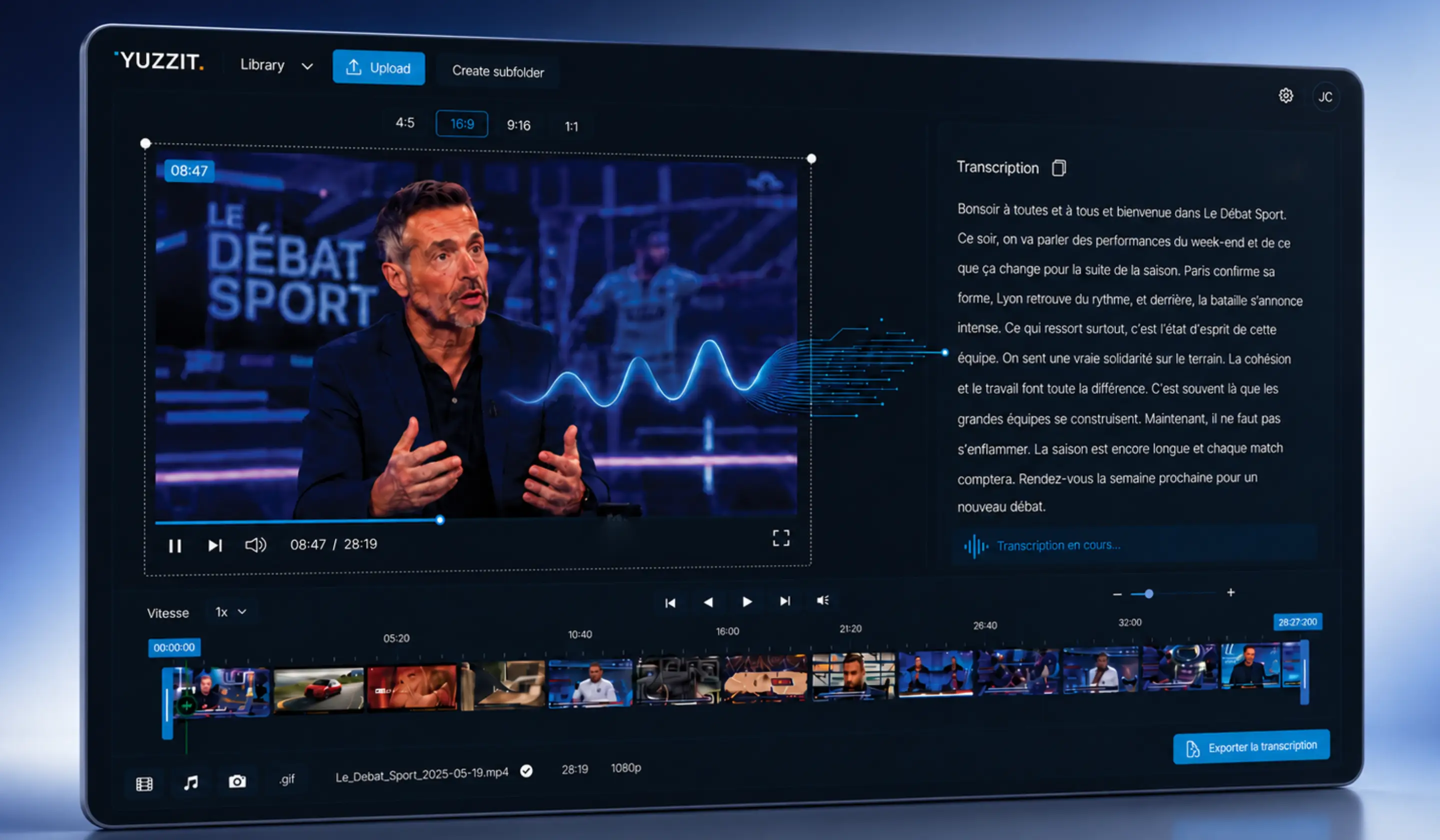
Convert your videos to text with just one click
An interview, a live stream, a conference, or a broadcast often contains much more than just a video. There are quotes to highlight, clips to edit, ideas to turn into articles, and phrases to post on social media.
With Yuzzit, you can automatically generate transcripts for your videos and use them directly in your production workflow.
You save time on transcription. You can find the right passages more easily. You get more out of every video.
Save time
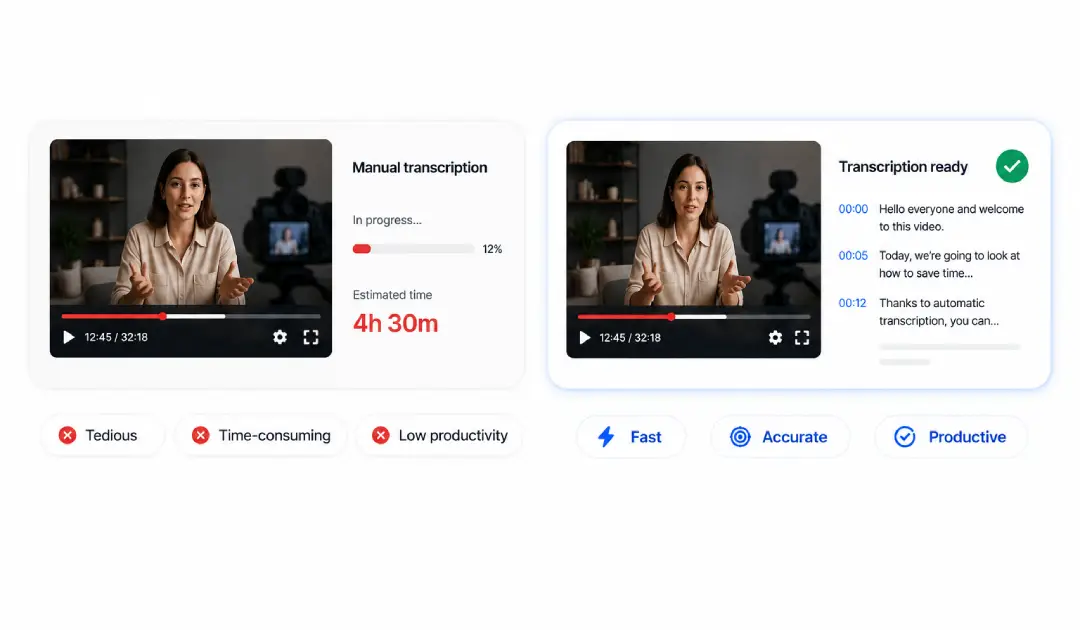
Manual transcription is a time-consuming and repetitive task.
Yuzzit lets your teams focus on what really requires their expertise: choosing the right moments, editing content, tailoring the message, and publishing at the right time.
Keep your workflow simple
Everything stays in Yuzzit.
Your teams can switch from video to text, and then to video editing or publishing, without having to use multiple tools.

Make the most of your content
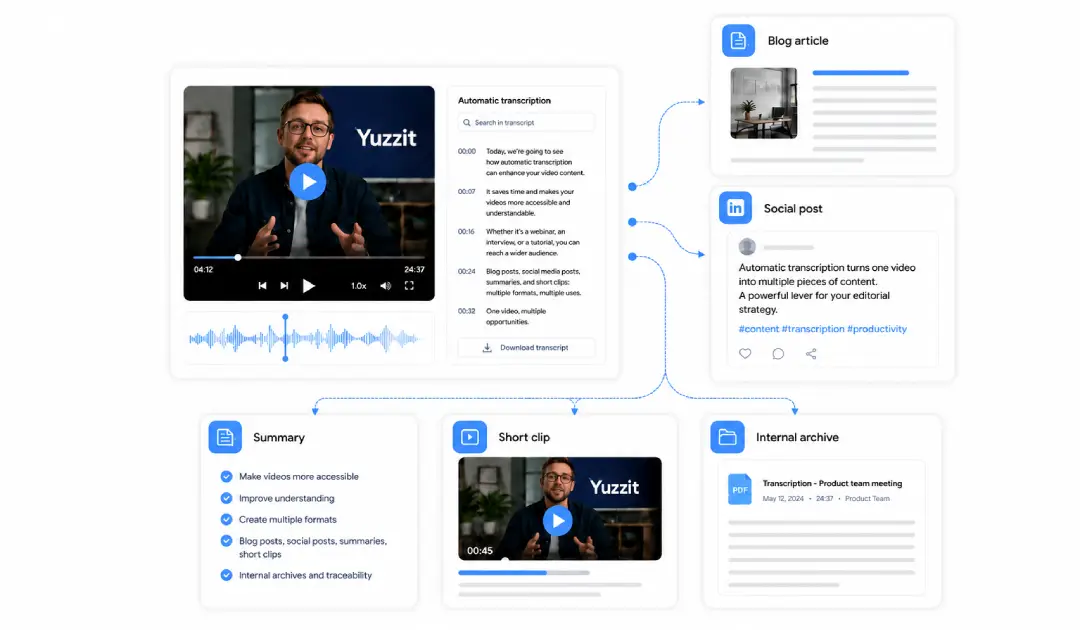
A transcript makes your videos easier to use.
It allows you to repurpose video content into various formats: articles, posts, summaries, short clips, or internal archives
Meet your business needs
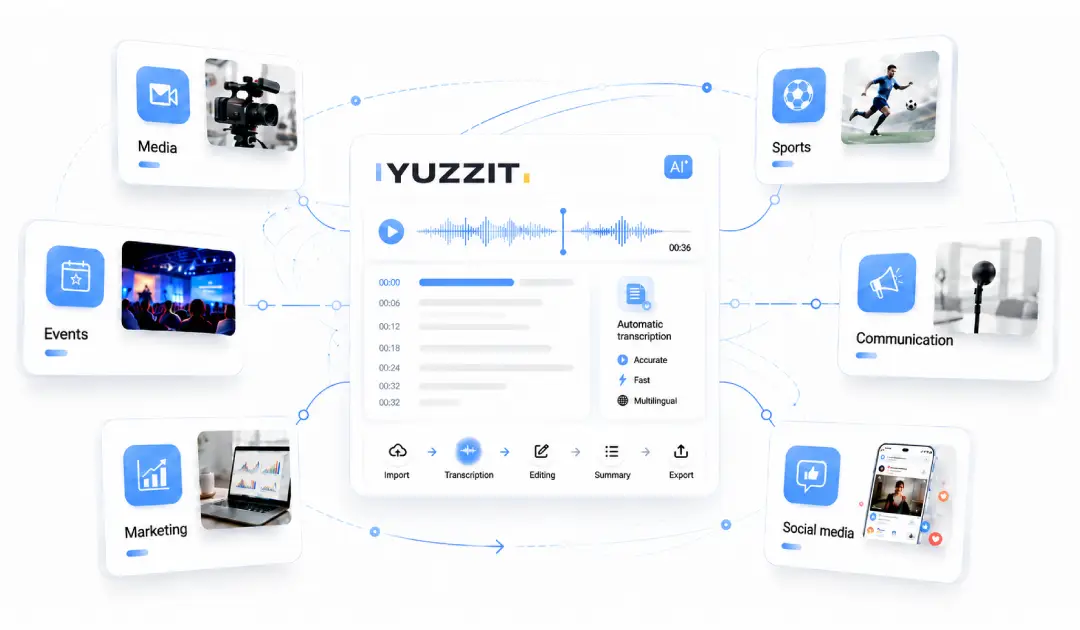
Yuzzit is designed for teams that regularly produce video content: media, sports, events, communications, marketing, and social media.
Video transcription follows this same logic: producing content faster, collaborating more effectively, and deriving greater value from each video.
Converting a video to text is easy
Transcribing a video by hand takes time. You have to listen, pause, rewind, correct, and rephrase.
With a 30-minute interview or an event replay, this step can quickly become a roadblock.
Yuzzit automates video transcription, enabling your teams to turn raw video footage into actionable content faster.
Select your video
Start with a video already available in your Yuzzit library, an imported file, or a clip created from a live stream.
Everything is done within the same workspace. You don't need to export your video to an external tool.
Start automatic transcription
Yuzzit analyzes the audio in your video and generates a clear transcript that’s ready to be reviewed and used.
The text then helps you quickly understand the content, find a specific sentence, or prepare an edited version.
Reread, correct, reuse
Once the transcript has been generated, your teams can correct proper nouns, tweak certain phrasing, remove hesitations, or extract useful passages.
The text can then be used to create:
- an article
- a summary
- a LinkedIn post
- a YouTube description
- subtitles
- a scripting framework
- an editorial archive
- a verbatim transcript of a client or speaker
From transcription to publication, all within the same workflow
In most cases, transcription is a separate step. You have to download the video, upload it to another platform, retrieve a text file, and then return to your editing or publishing tool.
Yuzzit eliminates this back-and-forth. Transcription integrates directly into a broader video workflow: live clipping, editing, subtitling, cropping, branding, and publishing.
You’re not just creating text from a video—you’re speeding up the entire production process.
Get more out of every video
A video shouldn't be used just once. With a transcript, it becomes easier to search, edit, and convert into new formats.
Find the good parts faster
A sentence, a name, a question, a reaction. The transcript helps you pinpoint key moments without having to watch the entire video again.
It really saves time for teams working on long-form content or live streams.
Turn your interviews into written content
Transcripts make it easier to switch from a video to an article, a summary, or a post.
It provides a rough draft. Your teams can then organize, rephrase, and adapt the text to fit the desired format.
Create your subtitles faster
The transcript can also be used as a basis for creating subtitles.
This is especially useful for videos posted on social media, where a large portion of the audience watches them with the sound off.
Repurpose your videos into short-form content
A long video often contains several interesting clips.
Transcripts help you find them faster. Your teams can then create clips, shorts, posts, or editorial content using the best parts.
Get from video to actionable content faster
Your videos already contain valuable content; Yuzzit helps you extract, organize, and reuse it more easily.
Turn your videos into text. Find the right clips.
Create more content from each video.
Discover Yuzzit’s other features to make your videos even better

Create a video template
To customize them to match your brand guidelines and adapt the format to each social media platform.


Add text to a video
Whether you've imported or trimmed footage from a live stream or raw footage, select the "Customize" feature to add text to your video.

Add subtitles to a video
Add subtitles to your videos in just a few minutes.

Add a video thumbnail
You can create this image yourself or extract it from your video. Once your video has been uploaded to the platform, upload your image.

Video compilation
Easily create a "best-of" compilation of the best clips from a live stream or imported videos.

Produce trailers
Announce the broadcast of a program or event on social media.

Produce live video clips
Create and publish short video clips during or after your live stream with just a few clicks to expand your audience on social media.

Stream your event live
As well as on your social media, and trim clips in real time without waiting for your live stream to end.

Quickly generate a replay
Record replays of your live streams to post them, archive them, or create montages.
Frequently Asked Questions
What is video transcription?
Video transcription involves converting the audio from a video into text. It provides a written version of an interview, a broadcast, a webinar, an event, or a recording. This text can then be edited, exported, or reused to create other content.
How do I convert a video to text using Yuzzit?
Simply select a video in Yuzzit, then start the automatic transcription. Yuzzit generates a transcript that your teams can then review, edit, and use as needed.
Can you transcribe a video from a live stream?
Yes. You can transcribe a clip created from a live stream, a replay, or a video imported into Yuzzit. This is useful for TV shows, conferences, interviews, sporting events, or long speeches.
What types of videos can be transcribed?
You can use video transcripts for a variety of content types: interviews, webinars, conferences, TV shows, marketing videos, event replays, podcasts, live video clips, social media videos, internal content, and more…
