


Live Transcription: Create Clips from Your Text
With Yuzzit, every word spoken during a live stream becomes a bookmark. View the transcript while you're live, find a specific part of your speech with a single click, and generate a video clip directly from the text.

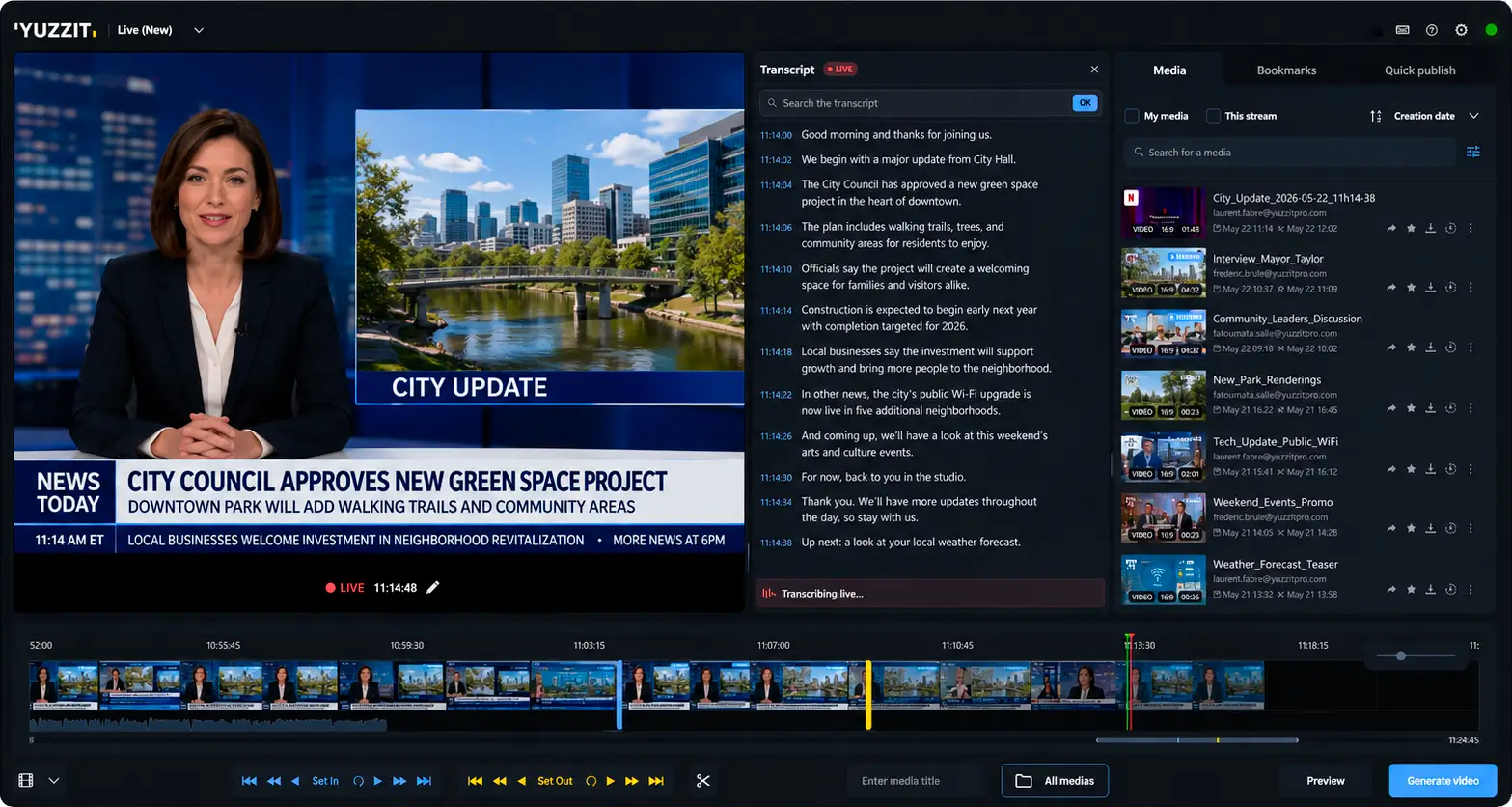
Follow the live stream using the real-time automatic transcript
With Yuzzit, the transcript of your live stream appears in real time, line by line with a timecode, during the broadcast. You can read what’s being said as it happens, and spot key moments as you read, even in a continuous stream.
This method changes the way you work and makes your teams more responsive. You no longer have to fast-forward or rewind the video to find a specific clip; instead, you can select it by reading the text or searching the transcript. The generated clip can then be customized, captioned, and published just like any other Yuzzit clip.
Live transcription: a real time-saver for your teams
Follow the live coverage without taking your eyes off the text
The transcript appears as the live stream progresses, in sync with the video.
Find a word and its sequence in just a few seconds
Search for a term in the text and jump directly to the right point on the timeline. Each line is associated with a timecode.
Cut the video without editing it
Select a section of the transcript to generate your clip, without having to search for start and end points down to the frame—but rather down to the word.
Stay within a single tool
Viewing, searching, and cutting are all done in one place, without having to export files or switch between multiple software programs.
View the live transcript
During recording or streaming, Yuzzit displays the live text as it is spoken.
This real-time text-to-speech feature helps your teams follow long-form content without losing track of what’s being said. They can follow the broadcast while reading, even in a noisy environment or in the control room, without having to rely on the audio to understand what was just said.
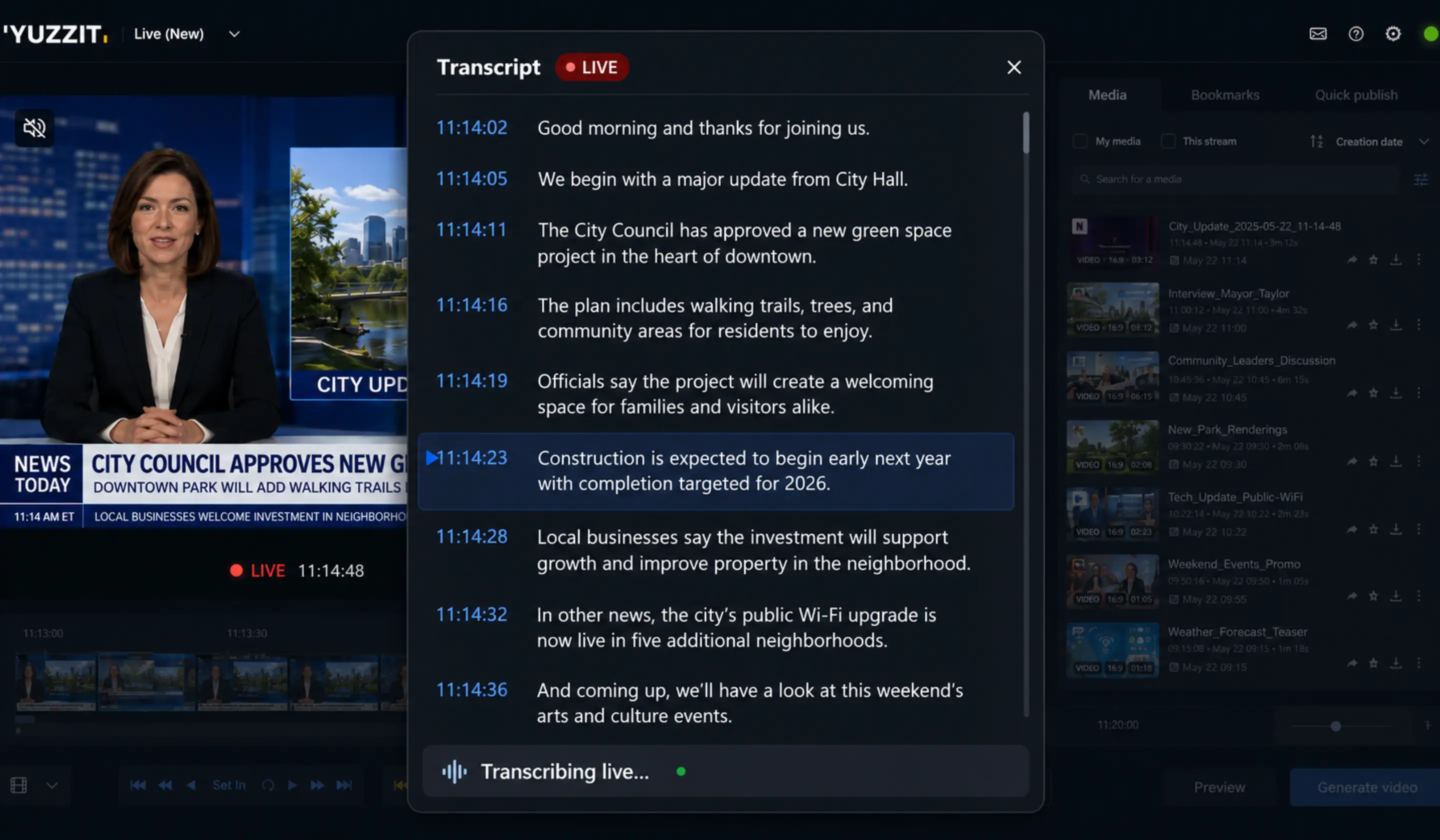
Search for a keyword and jump straight to the right moment
Simply type a name, phrase, or word into the text to instantly find the corresponding section on the timeline. No more scrolling through the video blindly or writing down timecodes by hand during the live stream.
When dealing with content that spans several hours, this search feature saves your editorial teams valuable time. Whether it’s a statement, a quote, or a proper noun, the search term becomes a direct shortcut to the moment you’re interested in.
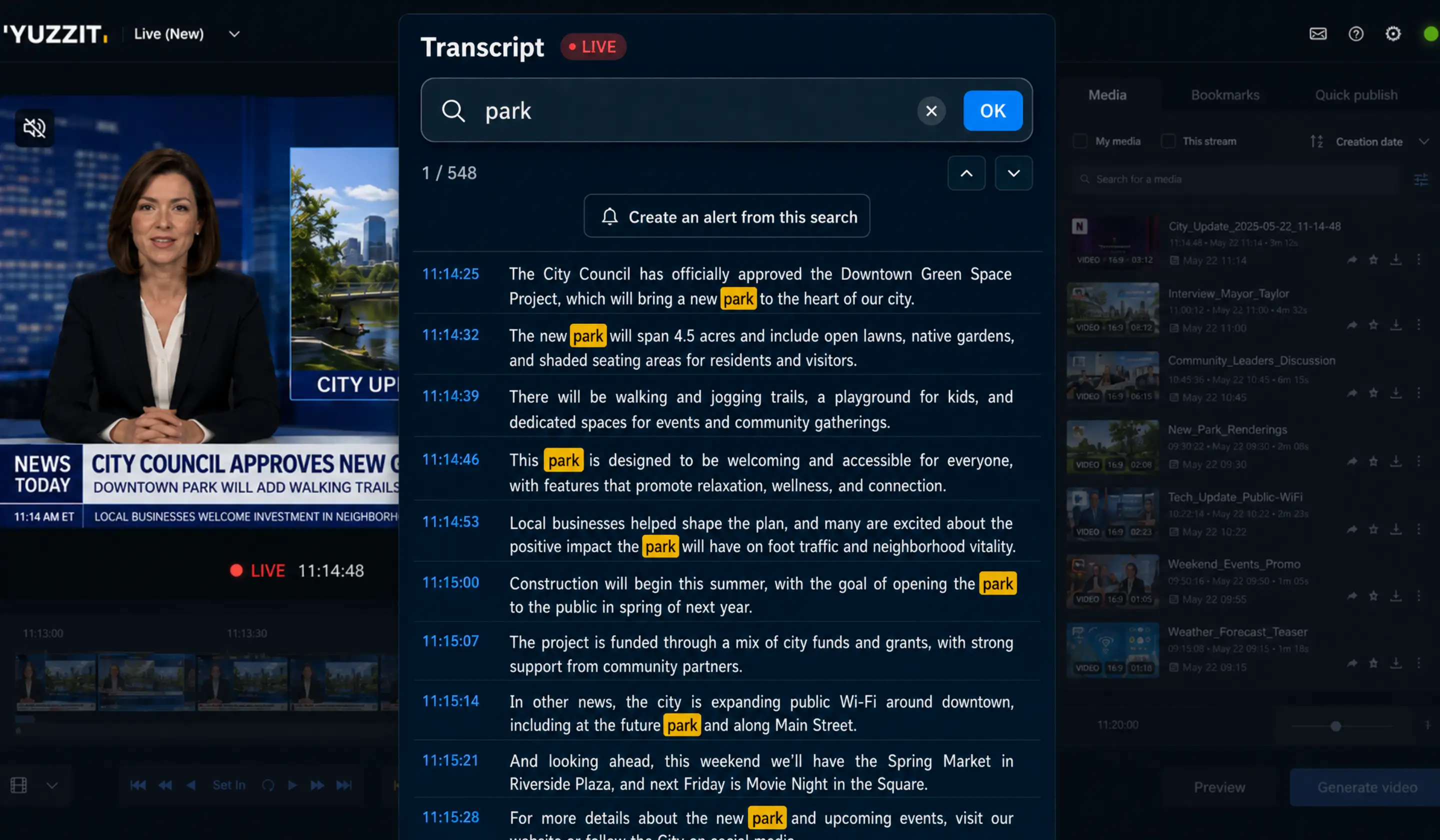
Select a portion of the text to generate the video clip
Once you've located the section in the text, set the start and end points of your clip directly from the transcript. Yuzzit generates the corresponding video clip without any manual editing or frame-by-frame adjustments on the timeline.
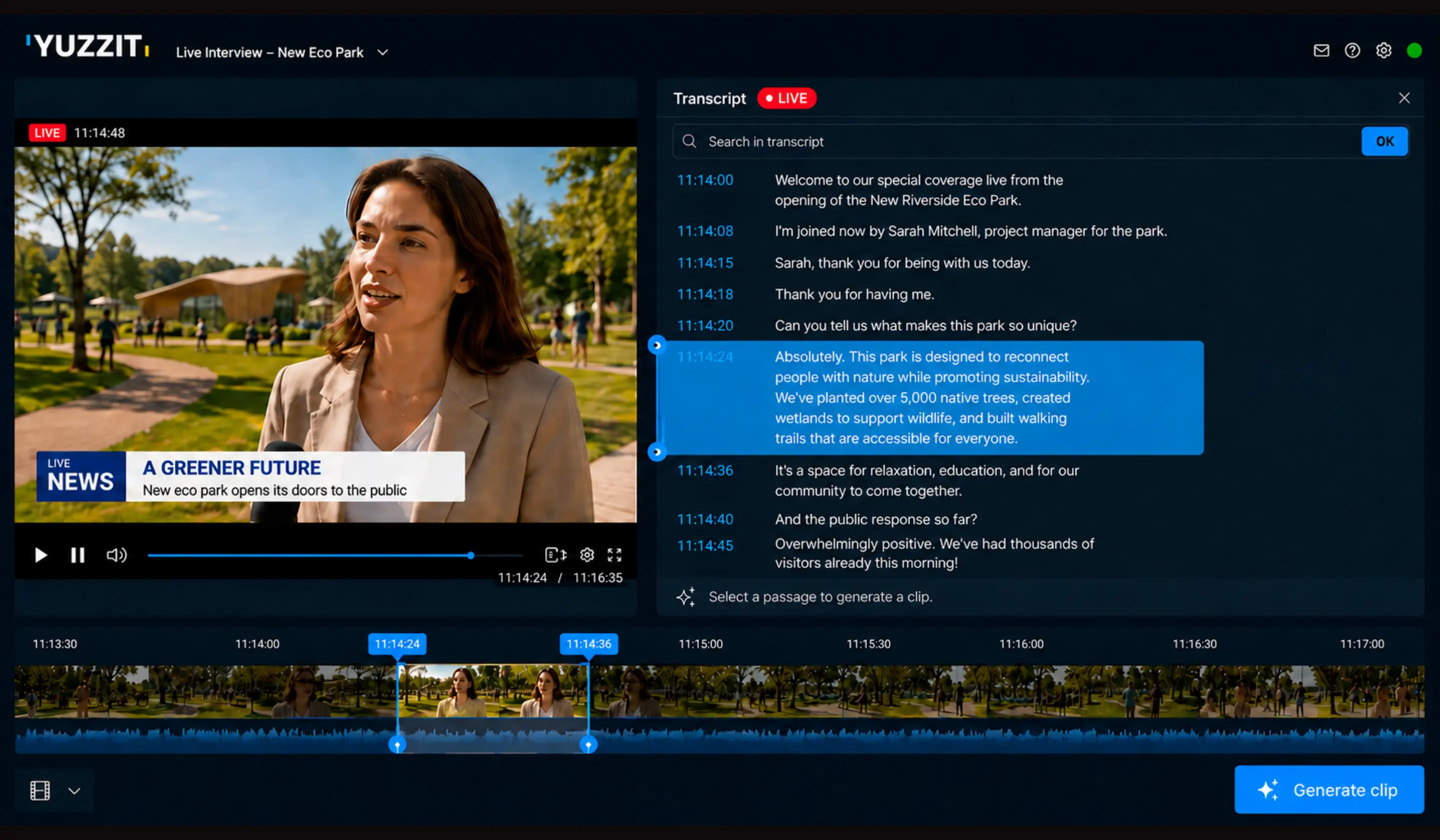
Live transcription, integrated into your production workflow
In many organizations, transcribing a live broadcast means switching away from your usual tool: exporting the video, uploading it to another platform, retrieving a text file, and then returning to your editing software to finalize the clip.
With Yuzzit, live transcription stays within the same workspace as live clipping,video editing, subtitling, and publishing. Your teams can follow the text, highlight a segment, generate the clip, and publish it—all without switching tools or waiting for the live broadcast to end.
Designed for teams working in live environments
Live transcription is primarily intended for those who need to react quickly during a live broadcast: a newsroom covering a debate, a sports team covering a game, or an organization managing an event in real time.
Newsrooms and Media Outlets
Follow a debate, a press conference, or a live broadcast, and find a specific statement to use as a clip or verbatim quote without having to listen to the entire program again.
Sports organizations
Find a comment by a commentator, a statement in the mixed zone, or a highlight mentioned verbally, and turn it into a publishable clip in just a few seconds.
Communications and Events
Follow the presentations at a conference or trade show live, and pull out the key quote while the event is still fresh in everyone's minds.
Clip directly from the transcript during a live stream
Yuzzit is the fast and efficient live clipping software for generating maximum audience and interaction during your live broadcast, and continuing to fuel online discussions by publishing targeted excerpts after your live.
Explore Yuzzit's potential to go beyond live clipping

Create a video template
To customize them to match your brand guidelines and adapt the format to each social media platform.


Add text to a video
Whether you've imported or trimmed footage from a live stream or raw footage, select the "Customize" feature to add text to your video.

Add subtitles to a video
Add subtitles to your videos in just a few minutes.

Add a video thumbnail
You can create this image yourself or extract it from your video. Once your video has been uploaded to the platform, upload your image.

Video compilation
Easily create a "best-of" compilation of the best clips from a live stream or imported videos.

Produce trailers
Announce the broadcast of a program or event on social media.

Produce live video clips
Create and publish short video clips during or after your live stream with just a few clicks to expand your audience on social media.

Stream your event live
As well as on your social media, and trim clips in real time without waiting for your live stream to end.

Quickly generate a replay
Record replays of your live streams to post them, archive them, or create montages.
Frequently Asked Questions
Can you search for a word while the live stream is still going on?
Yes. The search works as soon as the word has been spoken and transcribed, even during a live broadcast that is still in progress.
How does the process of generating a video clip from a transcript work?
Select the desired section of the text by specifying a start point and an end point. Yuzzit automatically generates the corresponding video clip, which you can then customize, add subtitles to, and publish.
Do you need a tool other than the editing software to transcribe a live broadcast?
No. Live transcription is done directly in Yuzzit, in the same workspace as cutting, editing, and publishing.
Does live transcription also work with a radio stream?
Yes. Just like with live editing, Yuzzit supports video and audio streams.