Video Replay: How to Streamline Clip Extraction Without Involving Post-Production
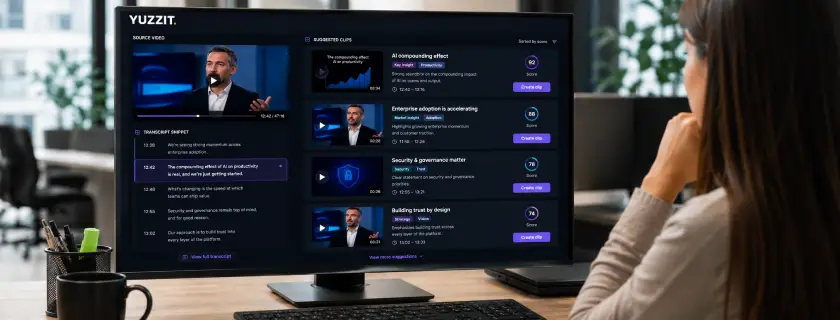
The replay is recorded, archived, and accessible. But between the raw footage and a series of clips tailored to each channel, there’s a bottleneck that most teams are all too familiar with: post-production isn’t available, the editor is working on something else, and the content ends up never being released… or is released too late to have any real impact.
This isn’t a skills issue, but rather a problem with the operational model. Video production workflows were designed for long-form content, not for the fast-paced, fragmented nature of social media. As a result, editorial and social media teams find themselves dependent on post-production resources for tasks that can now be largely automated.
In this article, learn how automated clipping is redefining the role of content teams and what concrete changes this brings to the value chain of a replay.
Replays as an editorial asset: a resource that is consistently underutilized
Most teams treat the replay as a secondary deliverable, like an archive made available to those who weren’t there. That’s only part of the story. A well-edited recording can have a greater reach than the live event itself: it reaches an audience that couldn’t attend, on platforms where long-form content doesn’t work, using formats tailored for mobile viewing.
The problem isn't editorial, because the teams know which moments are valuable. The problem is operational: turning that judgment into publishable, multi-format clips with subtitles and graphics requires a volume of work that traditional post-production workflows aren't designed to handle at this pace.
The post-event valuation window
Engagement around an event doesn’t drop off immediately after the live broadcast; it declines gradually over 24 to 72 hours, depending on the industry and the type of content. It is this window that most teams miss—not for lack of intent, but because the production pipeline cannot deliver within that timeframe without mobilizing disproportionate resources.
Evergreen content (position statements, key data, educational formats), on the other hand, has a much longer shelf life and can fuel an editorial calendar for several weeks. But again, the key is to have produced it in the first place.
What to highlight: the editorial checklist
Types of moments with a high risk of clipping
In practice, six categories account for the bulk of the value that can be derived from a replay, whether it’s a corporate event, a TV show, or a sports broadcast:
Strong, uncompromising statements. A clear assertion, a counterintuitive figure, an unapologetic contradiction. These excerpts stand on their own because they don’t require context to be understood, and they provoke a reaction.
Moments of friction or disagreement. A tense exchange on set, a challenge to established views, a heated exchange between panelists. These are the moments that a traditional editor tends to smooth over—and which, on social media, perform exceptionally well precisely because they break with expectations.
Openings and closings packed with key messages. These are the parts where the speaker sets the stage or summarizes the content, and they are often the most useful for a short, standalone format. In TV programming, segment introductions and segment conclusions fall into this category.
Q&As and spontaneous discussions. In a roundtable, debate, or webinar, discussions sparked by questions often yield the most dynamic and unscripted content. These moments are difficult to predict in advance, which is why a tool that identifies them after the fact is so valuable.
Sports highlights. Goals, game-changing saves, individual plays, reactions from the bench… these clips are naturally short in duration and have immediate broadcast potential. Their value is highest in the minutes immediately following the action, which makes manual extraction structurally unsuitable for this use case.
Concrete demonstrations or announcements. A previously unreleased figure, a new tool, actionable information. High potential for organic sharing on professional channels. On TV, exclusives and live revelations follow the same logic.
Extraction rate: finding the right ratio
A rule of thumb that applies to most formats: between 8 and 10 clips per hour of content. If you go below that, you risk underutilizing the replay feature. If you go above that, you dilute the content, and the less relevant clips can negatively impact the overall perception of the clip series, particularly in terms of algorithms that factor in average engagement per post.
Automated workflow: the tool makes suggestions, the editor decides
The traditional operational model places post-production before editorial decision-making: a video is produced, and then an assessment is made as to whether it is worth publishing. This model is costly in terms of time, resources, and missed opportunities when the production timeline exceeds the content’s window of relevance.
Automated clipping reverses this process. The tool analyzes the footage, identifies high-potential segments, and delivers a selection of pre-produced clips: cropped, captioned, and branded. The editorial team then reviews the finished deliverables, with only one decision to make: does this clip align with our editorial line and publication schedule?
This represents a shift in the focus of human value: from execution to editorial judgment.
Step 1 - Analysis and automatic suggestion of clips
With automation: The recording is imported into the tool. The analysis focuses on the structure of the speech, information density, and variations in pace. The output consists of a selection of finished clips: cut and cropped to fit the target formats, subtitled based on the transcribed audio track, and styled according to the configured templates. The team receives finished deliverables, not raw footage that needs to be processed.
Without automation: The editor reviews the footage, marks the IN/OUT points manually, and then opens a video editing tool to process each clip individually. Selection and production are intertwined, which means that even a clip that is ultimately discarded still consumes production time.
Estimated time: a few minutes using automation versus 20 to 40 minutes of manual viewing, without a single clip being produced.
Step 2 - Editorial Review: The Value-Added Step
The tool does not have full knowledge of the editorial context, the legal restrictions on certain excerpts, distribution agreements, or the content strategy for each channel. Therefore, the team makes the final decision.
With automation: The review focuses on a selection that has already been finalized. The editor validates the selection, adjusts an entry or exit point, corrects a transcription error in a subtitle, or reassigns a clip to a different channel. The cognitive load is that of an editor, not a post-production operator.
Without automation: Editorial decisions are made during or after production. This coupling is the main reason for projects being abandoned: when the cost of producing a clip is high, teams naturally become more cautious about the volume.
Estimated time: 10 minutes to finalize 6 to 8 clips with automation. 15 to 30 minutes of production time per clip without automation, or 1.5 to 4 hours for the same volume.
Step 3 - Multi-channel distribution
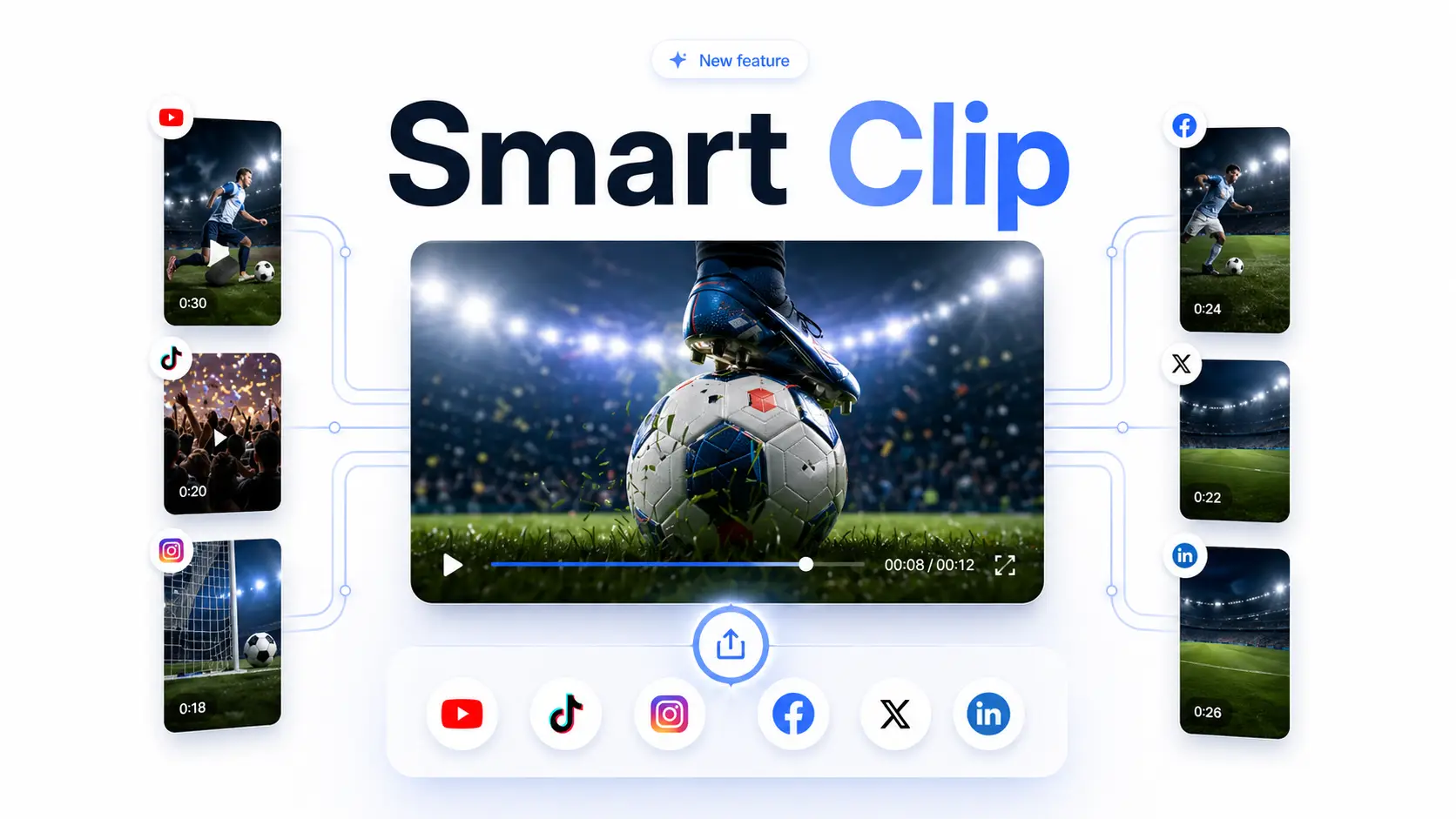
With automation: Approved clips are published or scheduled from the same interface, with platform-specific native formats already generated, editable metadata, and integrated scheduling. Evergreen assets can be reused in an editorial calendar over several weeks without any additional file manipulation.
Without automation: Each channel requires a separate upload, manual metadata adjustments, and, often, a third-party scheduling tool—along with the back-and-forth file transfers that this entails.
Estimated time: 5 to 10 minutes for all channels using automation. 20 to 40 minutes in manual mode, depending on the number of destinations.
Operational Review
For a 90-minute replay, 8 clips, and 3 distribution channels:
Manual workflow: 3 to 5 hours of production time, dependent on a specific technical profile or post-production availability. Editorial decisions are made during production, which means that even a clip that is ultimately rejected still takes up time.
Automated workflow: approximately 10 minutes, manageable by the editorial or social media team without post-production skills. Editorial decisions are made on finished deliverables, which reduces the cost of rejection to zero.
The challenge isn't just about speed of execution. It's about the ability to maintain a consistent production volume over time, without overburdening the post-production team and without letting the production cost per clip discourage teams from showcasing each event.
Key Takeaways
The real obstacle to monetizing on-demand content isn’t editorial—the teams know what’s valuable. It’s structural: an operational model where production precedes decision-making creates a barrier to entry that discourages scale.
Automating clipping resolves this operational issue and, in doing so, frees up content teams to exercise their judgment without being held back by the production pipeline.
This is exactly what Smart Clip brings to the Yuzzit workflow: replay ingestion, automatic generation of clips, editorial approval, and multi-channel publishing—all without relying on post-production.
See how Smart Clip works.
Do you regularly work with replays of events or TV shows? Find out how editorial and social media teams use Yuzzit to streamline their clip production.
Frequently Asked Questions
Can we maintain consistent branding across all automatically generated clips?
This is precisely one of the most underrated operational benefits of automation. In a manual workflow, visual consistency depends on the attention to detail of each operator and breaks down as soon as multiple people work on the same set of clips. With Smart Clip, branding templates are configured once: logo, typography, colors, subtitle placement, and formats by channel. They are systematically applied to every clip produced, regardless of the volume or number of events processed. Branding no longer depends on a checklist; it is integrated into the workflow.
What is the difference between automatic clipping from a replay and live clipping?
These are two distinct use cases that address different operational requirements. Live clipping takes place during the broadcast: the editor marks key moments in real time, and the clips are produced and published immediately. The goal is maximum responsiveness. Clipping from a replay takes place after the broadcast: the tool analyzes the entire recording, suggests a selection of clips, and the team reviews them without immediate time constraints. Yuzzit covers both scenarios. Smart Clip is the module dedicated to enhancing replays, while live clipping integrates directly into the broadcast workflow for teams handling live content.
Share this article

.webp)

Subscribe to our newsletter!
Get our latest news and valuable tips for creating your videos!
Sign up now for our Yuzz’letter!
Our Latest Articles

Presidential Campaign: How to Respond Within Minutes to Every TV and Radio Appearance

Radio: From Live Broadcasts to Published Clips—The Best Step-by-Step Workflows