Translate your SRT files: the quick way to automatically translate your subtitles
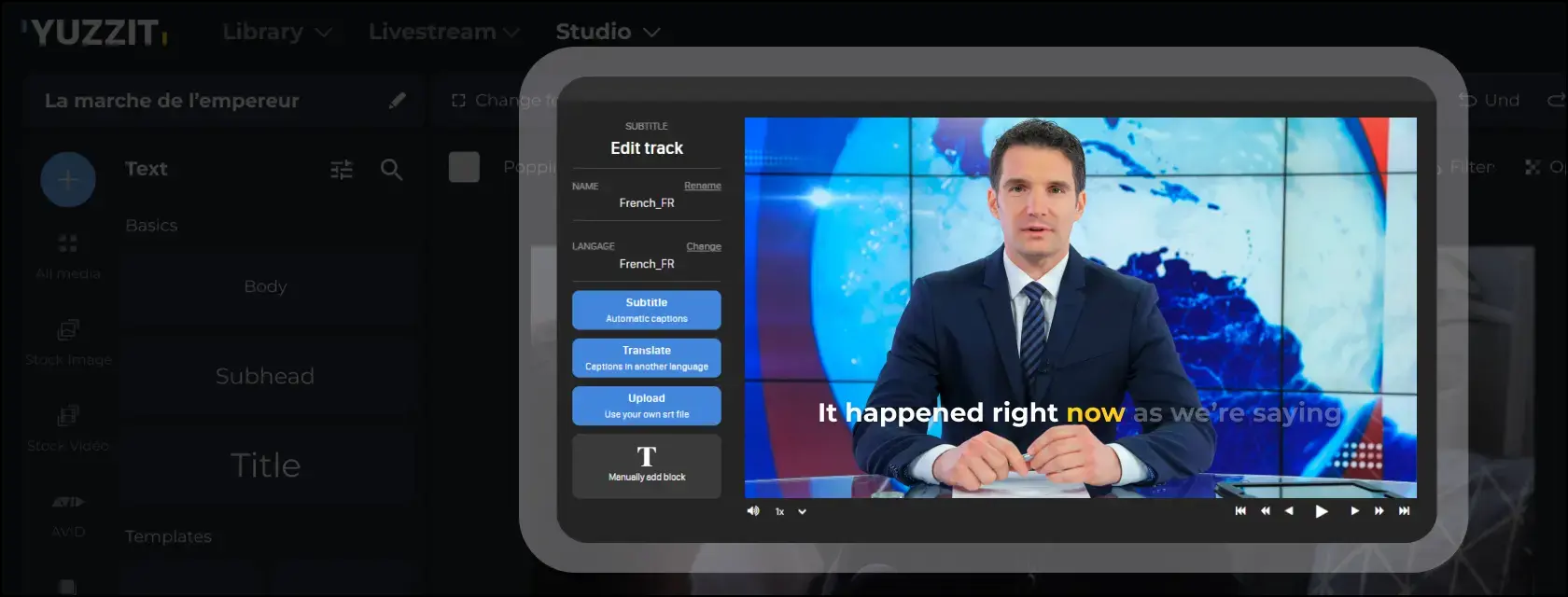
Do you create videos for your social networks or marketing campaigns? Do you want to make them accessible to an international audience without wasting time or complicating your workflow? Thanks to artificial intelligence, it's now possible to automatically translate your SRT files in a matter of seconds, directly while editing your subtitles.
In this article, discover why translating your SRT files is essential, how to do it efficiently, and how Yuzzit simplifies this step by combining editing and simultaneous automatic translation in a single tool.
Why is translating an SRT file essential for your videos?
Subtitles and accessibility: a global challenge
Videos are at the heart of today's communication strategies. But to reach an international audience, subtitle translation has become a must.
An SRT (SubRip Subtitle) file contains the text and timing of your subtitles. By translating it, you make your videos accessible to a worldwide audience, including the deaf and hard-of-hearing.
Boost your international reach with translation
Translating your subtitles is much more than just making your videos understandable: it's a growth strategy.
Platforms like YouTube, LinkedIn and TikTok value multilingual content.
In other words, knowing how to translate your SRT files effectively will help you expand your audience, improve your international SEO and strengthen your brand image on a global scale.
How to translate an SRT file easily?
Classic methods: manual and time-consuming
Before the age of AI, translating an SRT file was often done manually: copy and paste into a translator, adjust each sentence, then resynchronize the whole thing.
This wasted time, and led to errors and inconsistencies. A real headache for marketing teams in a hurry.
Automatic tools: the AI revolution
Today, artificial intelligence has simplified this process. It is now possible to automatically translate your SRT files, even within your video editor.
Modern tools automatically recognize the text, translate it into the desired language and maintain the original synchronization.
But some go even further...
Translation and editing combined: a new approach to post-production
Next-generation tools like Yuzzit don't just translate your subtitles afterward: they integrate translation right from the video editing phase.
In concrete terms, when you add or correct your subtitles, automatic translation takes place simultaneously.
No need to export, re-import or use multiple software programs: everything is done in the same place, at the same time.
This all-in-one approach transforms the creation of multilingual videos:
- Considerable time savings: no need to go back and forth between tools.
- Perfect coherence between text, timing and visuals.
- Increased productivity: videos ready to be published in several languages instantly.
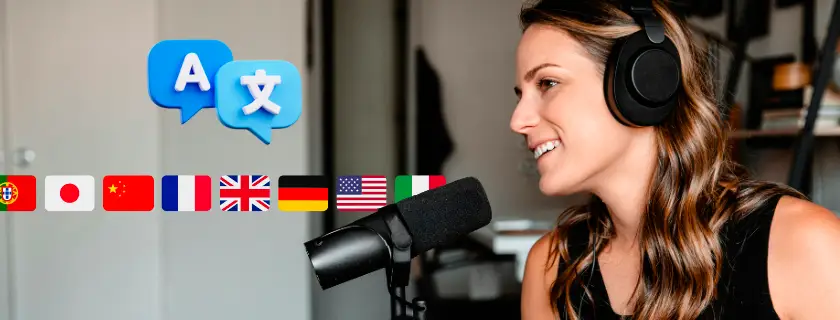
Yuzzit: the video tool that automatically translates and edits your subtitles
Instant translation thanks to AI
With Yuzzit, you can automatically translate your SRT files into multiple languages, without leaving your editing space.
Its AI technology analyzes your subtitles, translating them instantly while preserving the timing and structure of the text.
You can visualize the result in real time, directly in your video editing interface.
Share-ready videos in any language
Beyond subtitling, you can also edit, adjust, trim and publish your video from within Yuzzit.
It's the ideal solution for marketing teams, social media managers and content creators who want to deliver multilingual videos quickly, without technical complexity.
Discover Yuzzit's automatic translation feature
Use case: how brands use automatic subtitle translation
- Community manager: publish the same video in several languages on LinkedIn or TikTok without going through an agency.
- International company: standardize training and internal communication videos for all offices.
- Marketing team: test different languages for a campaign to identify the best-performing markets.
Thanks to simultaneous translation and editing, these tasks can now be completed in minutes, instead of hours.
Tips for quality subtitle translation
Reread, adjust, test: best practices
Even with a high-performance AI tool, quick proofreading guarantees optimal results.
Adapt your brand-specific expressions and check fluidity on every medium (mobile, computer).
Optimizing your videos for an international audience
Translating subtitles is good. Adapting your visuals and thumbnails is better.
The aim is to offer a fluid and relevant experience, whatever the country or language of your viewers.

Key data: why auto translation is a game-changer
According to Cisco, video accounts for over 82% of global Internet traffic.
And according to another study , adding subtitles increases video viewing time by around 12% on Facebook.
By automatically translating your subtitles with Yuzzit, you :
- increase your visibility and engagement,
- improve your accessibility,
- and optimize your international campaigns without technical skills.
Simplify the translation of your subtitles today
Translating your SRT files has never been easier. Thanks to AI, you can now do this while editing your video, without additional tools or wasted time.
Yuzzit completely rethinks post-production: a single space to create, edit, translate and publish your videos, in any language.
Try out Yuzzit's integrated automatic subtitle translation now. Create, edit and translate your videos simultaneously, in one place, with a single gesture.
Save time, improve quality and reach a worldwide audience.
Frequently Asked Questions
How can I automatically translate SRT files without complex software?
With Yuzzit, you can automatically translate your SRT files directly during the video editing phase. The tool uses artificial intelligence to generate synchronized subtitles in multiple languages, without exporting or technical manipulation.
Can I translate my subtitles into several languages?
Yes, Yuzzit lets you generate as many language versions of your subtitles as you like, ready to share.
Can I manually correct a machine translation?
Absolutely. You can adjust the text directly in the Yuzzit editor to ensure a faithful translation of your message.

Share this article

.webp)

Subscribe to our newsletter!
Get our latest news and valuable tips for creating your videos!
Sign up now for our Yuzz’letter!
Our Latest Articles

Presidential Campaign: How to Respond Within Minutes to Every TV and Radio Appearance

Radio: From Live Broadcasts to Published Clips—The Best Step-by-Step Workflows